
Audiodisplayed Meaning in WhatsApp, Transcripts & Social Media
The term Audiodisplayed can have different interpretations depending on the application, device or digital content in which it appears. People may encounter this wording in exported WhatsApp conversations, written transcripts, notification previews, media players or accessibility settings. In some situations, it represents an audio element through a text based placeholder, while in others, it may be associated with audio description features that provide spoken explanations of visual information.
Understanding the context is important because Audiodisplayed does not have one universally established definition across all digital platforms. Its meaning depends on how the application or system uses the term.
For example, a transcript may use <<audiodisplayed>> to indicate that a voice message was present at a particular point. An accessibility menu, on the other hand, may contain terminology related to descriptive audio, which helps users understand visual scenes through additional narration.
What Does Audiodisplayed Mean?
Audiodisplayed generally refers to audio being represented, presented or identified within a digital environment. It can describe an audio related element without necessarily containing the actual sound or spoken words.
The exact interpretation depends on where the expression appears.
| Digital Location | Possible Meaning | Example |
| Written transcript | Audio represented through a text marker | An audio placeholder between two conversations |
| Exported WhatsApp chat | Representation of a voice message | <<audiodisplayed>> |
| Notification preview | Audio attachment identified through text | An audio notification label |
| Accessibility settings | Audio description or descriptive narration | Spoken explanations of visual scenes |
| Media player | Additional narration for video content | A narrator explaining on screen actions |
| Technical interface | Audio related system status | An audio element identified by software |
The spelling can also be understood as a combination of two English words: audio and displayed. Software applications sometimes combine words into compact labels, identifiers or system generated descriptions.
Consequently, Audiodisplayed may look like internet slang, but it can have a technical purpose rather than functioning as an expression used in everyday conversations.
Audiodisplayed Meaning in a Transcript
In a written transcript, Audiodisplayed may indicate that an audio recording or voice message appears at a particular position in the original material.
A transcript converts spoken conversations into written information. However, when the original source contains different media formats, such as photographs, recordings and videos, not every element can be represented as ordinary text.
A system may therefore insert a descriptive marker to preserve the location of an audio element.
For example:
Jimi : I wanted to share something with you.
<<audiodisplayed>>
Gorge: Thank you for sending the recording.
In this example, the marker identifies an audio related item between the two written messages. It does not provide the actual spoken content of the recording.
This distinction is important because a transcript and an audio recording are two different forms of information. A transcript contains written words, whereas an audio recording contains sound.
Audiodisplayed does not automatically indicate that someone listened to the recording. It may simply identify the presence or representation of an audio element in the original source.
What Does Audiodisplayed Mean in WhatsApp?
One context in which people may encounter <<audiodisplayed>> is an exported WhatsApp conversation.
WhatsApp conversations can contain ordinary text messages, voice notes, images, videos, documents and other attachments. When a conversation is exported into a text based format, multimedia content may not appear in the same form as it does inside the application.
Instead of displaying the actual voice recording, an exported file may contain a placeholder that identifies where an audio message appeared.
For example:
08/18/26, 10:20 AM – John: Listen to this recording.
08/18/26, 10:21 AM – John: <<audiodisplayed>>
08/18/26, 10:22 AM – Asim: I will listen to it.
Here, the marker represents an audio related item in the conversation. The exported text does not necessarily include the original recording.
Depending on the export method, the audio file may need to be accessed separately.
This explains why someone might see a normal voice message bubble inside WhatsApp but find a technical looking label when viewing a text export of the same conversation.
The exact behavior can depend on the export format, software and processing method.
Is Audiodisplayed an Internet Slang Word?
Audiodisplayed is not widely recognized as a standard internet slang expression.
Common texting abbreviations such as LOL, BRB and IDK are used by people to communicate reactions, intentions or information quickly.
Audiodisplayed is different because it can describe an audio element or a system generated event rather than expressing a personal reaction.
For example:
- LOL communicates laughter.
- BRB indicates that someone will return shortly.
- IDK means that someone does not know something.
- Audiodisplayed may identify an audio related element in a transcript or digital interface.
Therefore, if you find this wording in an exported conversation, you should not automatically assume that the original sender intentionally typed it.
Does Audiodisplayed Mean Someone Played or Listened to Audio?
No, the term alone is not reliable proof that someone played or listened to a voice message.
The words displayed and played describe different activities.
Displayed generally relates to presenting or showing information, while played refers to audio playback.
Consider these related expressions:
| Expression | Explanation |
| Audiodisplayed | An audio element is represented or presented |
| Audio played | Audio playback occurred |
| Audio available | An audio recording can be accessed |
| Voice message | A recorded audio message sent through a messaging platform |
| Audio transcript | Written words produced from spoken content |
A platform may use separate indicators for message delivery, viewing and playback.
For this reason, a text marker should not be treated as confirmation that another person heard a particular recording.
Audiodisplayed Meaning in Audio Description
Another related area is accessibility technology.
Audio description, sometimes called descriptive audio, is a feature that provides spoken explanations of important visual information in movies, television programs, videos and other media.
This narration helps communicate details that may not be obvious through dialogue or background sounds alone.
For example, a video might show a character opening a door without saying anything. Audio description can explain the action by adding narration such as:
This additional information can help viewers understand what is happening on screen.
Audio description may explain several visual elements, including:
- Facial expressions and emotional reactions.
- Movements and physical activities.
- Clothing and appearance.
- Locations and surroundings.
- Important objects and background details.
- Changes between scenes.
- Written information appearing on screen.
- Actions that are not explained through dialogue.
It is particularly useful for people with visual impairments, although other viewers may also benefit from additional narration.
It is important to understand that Audiodisplayed and audio description are not automatically identical terms. Their relationship depends on the interface or technical system in which the wording appears.
How Does Audio Description Work?
Audio description adds spoken narration to supported media content.
A narrator explains important visual details during appropriate pauses in dialogue so that the additional information does not interfere with the original conversation.
For example, imagine a movie scene in which a person enters a restaurant, places a bag on a chair and looks toward the window.
Without descriptive narration, a viewer may only hear the background sounds or dialogue.
With audio description, the additional narration might explain:
This makes important visual information available through sound.
Audio description is commonly provided through a separate audio track or accessibility feature. Its availability depends on the video, language, device and streaming service.
Where Can Audiodisplayed or Related Audio Labels Appear?
Audio-related labels and descriptions can appear across different digital devices and applications.
Some common examples include:
| Device or Platform | Possible Audio Related Use |
| Smart televisions | Descriptive audio settings |
| Smartphones | Voice message and audio notifications |
| Tablets | Media playback and accessibility controls |
| Computers | Audio files and technical interfaces |
| Streaming devices | Alternative audio tracks |
| Gaming consoles | Accessibility and narration settings |
| Video applications | Captions and audio description |
| Educational platforms | Recorded lessons and audio transcripts |
The wording and available features may vary between manufacturers, operating systems and applications.
Someone who encounters Audiodisplayed in a media player should therefore consider the surrounding audio controls before assuming that the term refers to a WhatsApp voice message.
Why Does Audio Description Sometimes Turn On Automatically?
Some users may notice that a television program or movie suddenly starts explaining actions and visual details through narration.
This can happen when an audio description feature becomes active.
Possible reasons include:
- An accessibility option was enabled in the device settings.
- The application remembered a previously selected audio preference.
- A streaming profile retained a descriptive audio selection.
- Another household member changed the audio track.
- An accessibility shortcut was accidentally activated.
- A software update affected saved settings.
The feature may remain active across different videos, depending on how the application stores user preferences.
Checking the audio and accessibility settings is usually the best starting point when unexpected narration occurs.
How to Turn Off Audio Description
If a television, streaming application or video player is providing unwanted descriptive narration, you can usually disable it through the audio or accessibility menu.
The general process is:
- Open the settings menu on your device or application.
- Find the Accessibility or Audio section.
- Look for Audio Description, Descriptive Audio or a similar option.
- Disable the feature or choose the standard audio track.
- Return to the video and check whether the narration has stopped.
- Restart the application if the updated setting does not take effect.
Some streaming services place audio description options inside the language and audio selection menu rather than the main settings.
The exact steps depend on your device and the service you are using.
How to Turn On Audio Description
Users who want additional narration can generally activate audio description through the accessibility or playback controls.
A typical process includes:
- Open the video or media application.
- Access its audio or accessibility settings.
- Find an available descriptive audio track.
- Select the preferred language and narration option.
- Play supported content to check whether the feature is active.
Not every video includes an audio description track. Availability can vary according to the title, language, streaming platform and region.
Audiodisplayed vs Audio Description
Although these expressions can appear in related digital environments, they represent different concepts.
| Audiodisplayed | Audio Description |
| May function as a technical or system label | A specific accessibility feature |
| Can identify an audio element | Provides spoken explanations of visual content |
| May appear in transcripts | Commonly appears during video playback |
| Can work as a placeholder | Usually involves additional narration |
| Meaning depends on the platform | Has an established accessibility purpose |
For example, someone asking what Audiodisplayed means in a written transcript may need an explanation of a media placeholder.
However, someone asking why their television is describing every scene may need help understanding audio description settings.
The surrounding context determines the more appropriate interpretation.
Audiodisplayed in Exported Chats and Multimedia Conversations
Text based chat exports create another situation in which audio related markers may appear.
A messaging application can contain different types of content, but a plain text document cannot reproduce every multimedia element in its original form.
For example, a written message can be copied directly into a text document. A voice note, photograph or video requires a different method of representation.
A text export may therefore use placeholders or file references to preserve the original conversation structure.
| Original Content | Possible Text Export Representation |
| Written message | Original written text |
| Voice recording | <<audiodisplayed>> |
| Image | Image placeholder or file reference |
| Video | Video placeholder or attachment reference |
| Document | Document name or file reference |
This approach allows readers to understand where multimedia content appeared without placing the complete media file inside the text document.
It can also help preserve the sequence of messages when conversations are moved between applications or stored for recordkeeping.
Is Audiodisplayed an Error or a Normal Placeholder?
Seeing Audiodisplayed in a transcript does not necessarily indicate a technical problem.
It may simply be a placeholder generated during the conversion or export of multimedia content.
For example, if a conversation originally contained a voice note, a text export might identify its position without including the recording itself.
However, a problem may exist if you expected the original audio file to be included but cannot locate it.
Before removing the marker or assuming that the recording has disappeared, consider these steps:
- Open the original messaging conversation.
- Check whether the voice message is still available.
- Look for separately exported audio attachments.
- Review the folder containing the exported conversation.
- Check whether the export process included multimedia files.
The placeholder and the original recording should be treated as separate items.
Can Audiodisplayed Be Converted Into a Transcript?
The Audiodisplayed marker itself does not contain the actual spoken words from an audio recording.
If the original audio file is available, a speech to text tool or transcription service can process it and generate written content.
The general process looks like this:
Original audio recording
|
Speech recognition
|
Text transcription
|
Written spoken content
A placeholder alone cannot recreate speech that was never included in the exported text.
For example:
Original audio:
A person records a voice message.
Transcription:
Hello, I will call you tomorrow.
Placeholder:
<<audiodisplayed>>
The transcription contains the spoken words, while the placeholder only identifies an audio related element.
This difference is important when working with chat records, interviews, customer conversations and digital archives.
Audiodisplayed vs Voice Message
A voice message is an actual audio recording sent through a messaging application.
Audiodisplayed, when used as a placeholder, can represent the location of that recording in another format.
| Feature | Voice Message | Audiodisplayed |
| Contains recorded sound | Yes | Not necessarily |
| Can be played | Yes, if accessible | Not through the text marker itself |
| Contains spoken information | Usually | Not necessarily |
| Appears in messaging applications | Yes | May appear in exported or processed content |
| Can be represented in text exports | Through a reference or attachment | Yes, as a placeholder |
| Can function as technical metadata | Not usually | Potentially |
This explains why someone may see Audiodisplayed inside a text document but cannot click the word to listen to the original recording.
Audiodisplayed vs Seen
Audiodisplayed should not automatically be interpreted as a message read receipt.
A seen indicator generally communicates that a message has been viewed, depending on the platform’s features and settings.
An audio related marker may simply describe a multimedia element.
For example:
Message seen
and
<<audiodisplayed>>
do not communicate the same information.
The first relates to viewing a message, while the second may identify an audio element within a transcript or exported conversation.
Therefore, users should avoid treating these expressions as interchangeable.
Audiodisplayed vs Audio Played
The difference between displaying and playing audio is another important point.
Displaying generally relates to how an element is presented or represented. Playing refers to the actual playback of sound.
Consider the following comparison:
| Displayed | Played |
| An audio element is shown or represented | Audio playback occurs |
| Can refer to a text placeholder | Refers to listening or sound output |
| Does not necessarily involve sound | Involves audio playback |
| May appear in a transcript | May be indicated by playback controls or status |
An audio file can be displayed in an interface without being played.
Likewise, a recording can be available for playback without having been listened to.
For this reason, the term Audiodisplayed should not be used as proof that someone heard a voice message.
Does Audiodisplayed Have a Special Meaning on Social Media?
There is no widely established social-media slang definition for Audiodisplayed.
However, people may encounter similar audio-related labels when working with copied messages, automated transcripts, media attachments, accessibility features and AI generated content.
Its appearance around a social-media conversation does not automatically give it a special meaning.
The source of the text and the surrounding information are more useful than the platform name alone.
Audiodisplayed on Facebook
If the term appears in Facebook related content, first check whether it comes from a copied conversation, transcript, accessibility feature or technical representation.
For example:
In this situation, the placeholder interpretation is more reasonable than assuming that the sender used an internet slang expression.
The exact meaning should still be confirmed through the original interface or export source.
Audiodisplayed on Instagram
Instagram conversations can contain written messages, voice messages, images, videos and other media.
If Audiodisplayed appears in copied or processed DM content, it may identify an audio-related element rather than represent a word intentionally typed by the sender.
Checking the original conversation can help clarify whether the content was a voice message or another audio attachment.
Audiodisplayed on TikTok
TikTok includes several audio related features, such as sound selection, video audio, captions and accessibility options.
A similar term may appear in transcripts, technical output or processed multimedia information.
However, Audiodisplayed should not automatically be treated as an official TikTok abbreviation or a recognized slang expression.
The surrounding interface provides the most useful clues.
Audiodisplayed on Discord
Discord supports voice messages, audio related activities, bots, integrations and automated content.
Because of these features, technical labels may appear in logs or processed conversation data.
For example:
This format resembles a software variable or technical status rather than ordinary conversational language.
Its exact purpose depends on the bot, application or system that generated the text.
Does Audiodisplayed Have an Emotional Meaning?
By itself, Audiodisplayed does not communicate a specific emotion or personal reaction.
It does not automatically mean that someone:
- Likes another person’s voice.
- Has listened to a recording.
- Is ignoring a message.
- Finds something funny.
- Agrees with a statement.
- Disagrees with another person.
- Wants to continue a conversation.
Any emotional interpretation would need to come from the surrounding messages.
For example, a person may send a voice note followed by a friendly response. The emotional meaning comes from the actual response, not from the Audiodisplayed marker.
This is another reason not to interpret the term as ordinary texting slang without additional context.
Why Is Audiodisplayed Written as One Word?
The combined spelling can be related to software naming conventions, text formatting or automated content processing.
Digital systems frequently combine multiple words into a single identifier.
Some possible variations include:
| Format | Possible Use |
| audio displayed | Ordinary written phrase |
| audiodisplayed | Combined technical looking term |
| AudioDisplayed | Software style identifier |
| Audio displayed | Underscore separated identifier |
| Audio displayed | Hyphenated expression |
These variations can appear in different technical environments.
For example, a software developer may use a compact identifier in a program, while an exported transcript may display a similar expression as a placeholder.
Copying information between applications can also remove spaces or change the original formatting.
The combined spelling does not necessarily indicate that a new slang word has been created.
Is Audiodisplayed Safe for Work?
Yes. Audiodisplayed itself is generally a neutral term and does not have an established offensive or explicit meaning.
It can be associated with audio recordings, transcripts, messaging exports, media players, accessibility features and technical interfaces.
The content of an associated recording may vary, but the word itself does not carry an inherently inappropriate meaning.
Common Misunderstandings About Audiodisplayed
People can misunderstand the term when they encounter it without knowing where it originated.
The following table explains some common assumptions and their more accurate interpretations.
| Common Assumption | More Accurate Explanation |
| It is always internet slang | It may be a technical or system-generated label |
| It proves someone listened to audio | The marker alone does not confirm playback |
| It always means audio was played | Displaying and playing are different activities |
| It must be an application error | It may simply be a multimedia placeholder |
| It has only one definition | Its interpretation depends on the source |
| It contains spoken words | A placeholder does not contain the actual recording |
| It only appears in WhatsApp | Similar wording may occur in other digital environments |
| It always means audio description | Audio description is a separate accessibility feature |
Understanding these differences can prevent incorrect conclusions when reading exported messages or using media applications.
How to Identify the Correct Meaning of Audiodisplayed
The easiest way to understand Audiodisplayed is to examine the place where it appears.
Instead of assuming that every occurrence has the same definition, consider the surrounding content and the type of application.
Follow these steps:
- Identify the source: Determine whether the term appears in WhatsApp, a transcript, a media player or a device setting.
- Examine the surrounding text: Look for nearby messages, audio attachments or technical labels.
- Check the original conversation: If it appears in a chat export, compare the exported content with the original conversation.
- Look for audio files: Check whether a separate voice recording exists.
- Review accessibility settings: If the term appears around video or television controls, investigate audio description options.
- Check the formatting: Variations such as AudioDisplayed or audiodisplayed=true may indicate a technical identifier.
- Avoid assuming playback: Do not treat the label as proof that another person listened to a recording.
- Consult platform documentation: Check the relevant application’s documentation when a platform specific explanation is necessary.
These steps can help distinguish between an audio placeholder, a media feature and a technical status.
How Should You Respond If Someone Sends Audiodisplayed?
If another person manually sends the word Audiodisplayed and its meaning is unclear, asking for clarification is usually the simplest approach.
You can use responses such as:
- “Do you mean that the audio was displayed?”
- “Are you referring to a voice message?”
- “Do you mean the audio was actually played?”
- “Where are you seeing this particular label?”
- “Are you talking about an audio transcript or a media setting?”
There is no need to assign an emotional or slang meaning to the word without understanding the original context.
Frequently Asked Questions About Audiodisplayed
Does Audiodisplayed Mean Someone Listened to the Audio?
No. The term alone does not confirm that another person listened to a recording. Displaying an audio element and playing it can be separate events. You should check the platform’s actual playback indicators if you need to understand whether a recording was played.
Can I Remove Audiodisplayed From a Transcript?
Yes. You can remove the text marker from your own copy of a transcript if it is no longer needed. However, deleting the marker does not restore or remove the original audio recording. Check whether the recording is stored separately before editing the exported document.
Is Audiodisplayed an Official WhatsApp Feature?
The exact expression should not automatically be considered an official WhatsApp feature or a universal WhatsApp status. It may appear in exported or processed conversation data as an audio related placeholder. Its precise meaning depends on the source and export method.
Does Audiodisplayed Mean Audio Description?
Not necessarily. Audio description is an accessibility feature that provides spoken explanations of visual information. Audiodisplayed may instead identify an audio element or placeholder. The two concepts should only be connected when the surrounding interface supports that interpretation.
Can Audiodisplayed Contain a Voice Message?
The marker itself does not contain the original sound. It may represent the position of a voice message in a text based export. The actual recording may exist separately as an audio attachment.
Why Does Audiodisplayed Appear Between Two Messages?
It may be used to preserve the position of an audio related item in an exported conversation. Since a plain text document cannot reproduce a voice recording as ordinary written text, a system may insert a placeholder.
Can I Convert Audiodisplayed Into Written Words?
The marker itself cannot be converted into the original spoken content because it does not contain the recording. If you have access to the original audio file, a transcription tool can convert the speech into written text.
Is Audiodisplayed the Same as a Read Receipt?
No. A read receipt generally relates to whether a message has been viewed. An audio related placeholder identifies or represents multimedia content and should not automatically be interpreted as a read or playback confirmation.
Is Audiodisplayed Used on Facebook, Instagram and TikTok?
The term does not have a widely established universal slang meaning on these platforms. It may appear in copied messages, transcripts, accessibility related content or technical information. Its meaning depends on the particular source.
Is Audiodisplayed an Offensive Word?
No. The expression does not have an established offensive meaning. It is generally associated with audio, digital communication, transcripts, accessibility or software related information.
Final Thoughts
Audiodisplayed is a context dependent expression that can be encountered in transcripts, exported conversations, notification previews, media players and technical interfaces. When used as an audio placeholder, it can identify where a voice message or another audio element appeared without containing the original recording.
It is also important to distinguish this type of marker from audio description, which is an accessibility feature that provides spoken explanations of visual content.
Most importantly, Audiodisplayed does not automatically mean that someone played or listened to an audio recording. A displayed audio element, an available recording and actual playback are different things.
If you encounter this term in a WhatsApp export, first check the original conversation and any separately saved audio files. If it appears in a television or video setting, investigate the accessibility and audio-description options. Understanding its source is the most reliable way to identify what Audiodisplayed means in a particular situation.
Explore More Guides & Activities
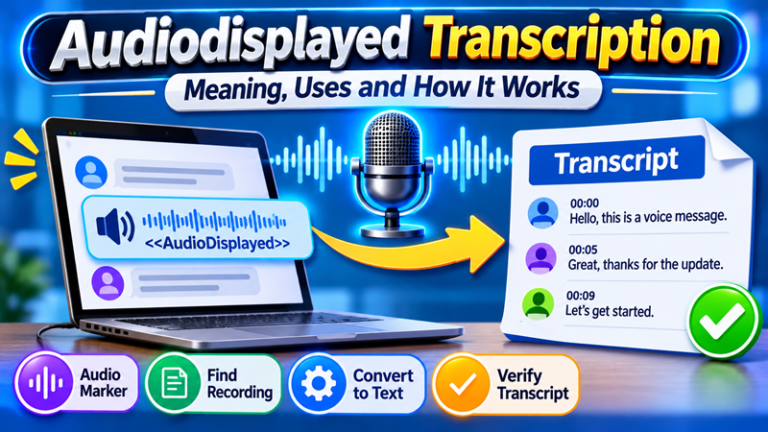
Audiodisplayed Transcription: Meaning, Uses and How It Works
When reviewing digital conversations, chat exports or AI-generated content, you may encounter an audio related marker such as <<AudioDisplayed>> instead […]
Read More: Audiodisplayed Transcription: Meaning, Uses and How It Works